
Quick phrases
Start with quick phrases and organize frequently used items based on your actual work needs.

Every product detail, design, and button is crafted with user experience in mind

Don't see the app you need? Contact us to help you adapt it

Supports multiple users on one account with cloud data sync
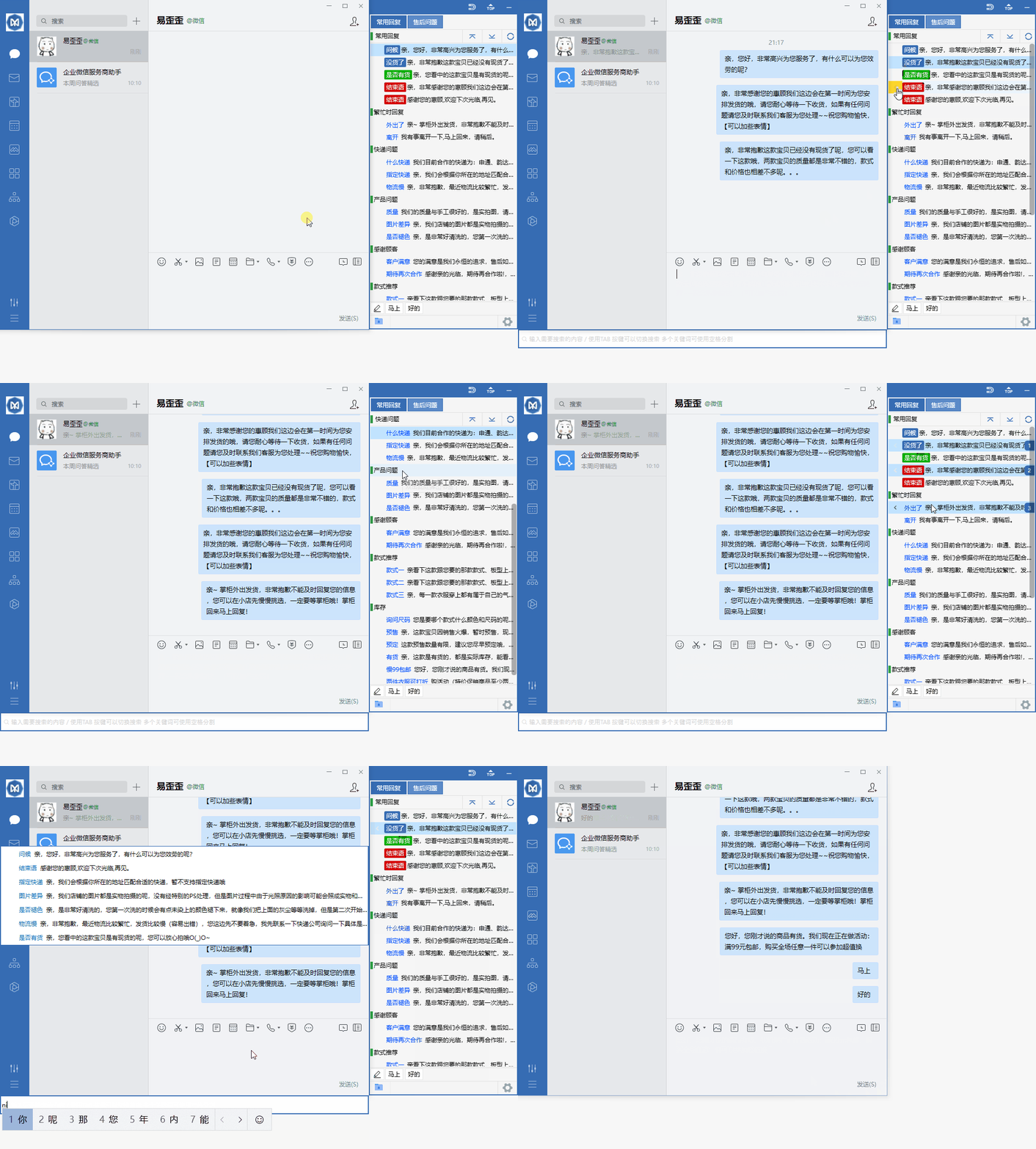
Organize daily customer service communication with reply categories, quick input, and team sync.
Start with quick phrases and organize frequently used items based on your actual work needs.
Combine data grouping with team sync to keep daily operations clearly organized.
Use desktop communication in a familiar interface and adjust your settings as needed.
View options related to quick phrases, and confirm device and version information before getting started.
Select your device system in the download center and check the corresponding version name.
Open the installation file and follow the on-screen installation prompts on your device to complete setup.
Yiwaiwai provides a clear and convenient client experience for desktop and mobile. Whether for daily office work, remote assistance, or cross-device syncing, you can quickly access everything through a unified entry point, reducing waiting time and helping you focus on what matters.
Switch between computer, phone, and tablet logins with frequently used information kept in sync, suitable for flexible use across different scenarios.
Optimized connection processes and resource usage keep things smooth even under average network conditions, reducing lag and disconnection disruptions.
Step-by-step instructions are provided by device type, allowing you to quickly complete everything from download and installation to first launch.
First check whether your device's system version meets the requirements and verify that the installation package is complete. If it still won't open, try exiting security software and reinstalling, and restart your device if necessary.
After logging in with the same account on each device, frequently used information will sync automatically. There is no need to repeat settings when switching devices; you can continue using it right after the first login.